Capture better references

Snip assets
from any website

AssetSnip is built for reference gathering that stays usable. Capture the page, pull the values, and keep the result in a calm, searchable workflow.

Live pageInspect mode
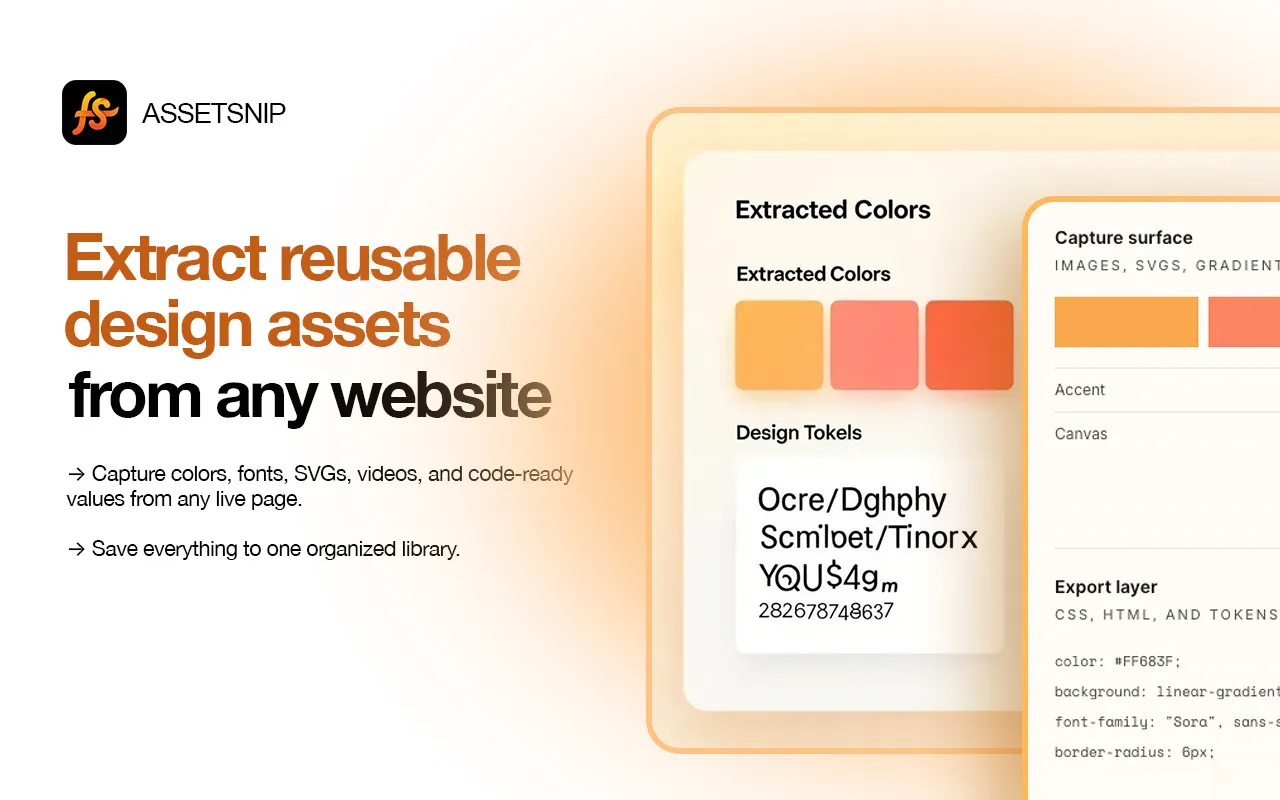
AssetSnip dashboard with extracted colors and typography

Capture surface

Images, SVGs, gradients, video

Accent#FF683F
Canvas#FDF8F0

Export layer

CSS, HTML, and tokens

color: #FF683F;

background: linear-gradient(...);

font-family: "Sora", sans-serif;

border-radius: 6px;

Features

Capture what matters.
Export what you need.

AssetSnip keeps the workflow simple: grab the exact assets you want, store them in one place, and move back into design or code without the cleanup step.

Inspect mode

Inspect live sections

Move across the page, pick the exact area you want, and capture the asset without breaking flow.

Media capture

Collect media directly

Grab images, SVGs, favicons, and video from any website.

Motion capture

Capture motion files

Keep video and animation references ready for review or reuse.

FolderLibraryIcon

Save assets cleanly

Everything lands in a simpler library so the research stays searchable.

Color system

Colors and gradients

Store the palette with reusable values instead of eyeballing screenshots.

Export

Move into code faster

Export CSS, HTML, and reusable tokens without extra cleanup.

Workflow

Capture. Save. Reuse.

No screenshot folders, no hunting through DevTools, and no extra cleanup step just to keep a good reference.

Step 01

Install

Add AssetSnip to BrowserIcon. It takes a few seconds and stays out of the way.

Step 02

Browse and capture

Navigate any site, then grab colors, fonts, images, and sections directly from the page.

Step 03

Save and export

Everything lands in your dashboard, ready for CSS, Tailwind, downloads, or later review.

Asset Types

Every asset, ready to export

Images

Images

PNG, JPG, WebP, AVIF

SVGs

SVGs

Vectors and icons

Videos

Videos

MP4, WebM, GIF

Folders

Folders

Saved references

Colors

Colors

HEX, RGB, HSL

Gradients

Gradients

CSS gradients

Typography

Typography

Fonts and styles

Components

Components

HTML and structure

Testimonials

Trusted by people who inspect interfaces daily

"As someone focused on shipping frontend work fast, AssetSnip cuts out the slow part of collecting colors, assets, and layout details from strong websites."
SL

Soufian Loukili

@soufian

"Really impressed with AssetSnip. It saves a lot of time when inspecting websites. No more digging through devtools to find colors, fonts, spacing, and assets."
NY

Naivaidya Yadav

@naivaidya

"One click and you get colors, fonts, spacing, and assets without breaking flow. If you reverse-engineer landing pages often, this saves a lot of time."
Y

Yusuke

@yusukelp

"I can download assets and export color systems in just a few clicks. For designers and frontend devs, this is exactly the kind of speed boost that matters."
N

Nadia

@laiflonglearner

Pricing

Compare plans clearly

A simple plan comparison matrix for teams who want to see limits, library size, and advanced features at a glance.

Free

For trying AssetSnip.

$0/month
Get Started

Core Features

Page overview
Inspect mode
Colors and gradients
Images, SVGs, videos, gradients, fonts
Core set
AI icon generation
0/ month

Monthly Limits

Total downloads
20/ month
Lottie downloads
5/ month
Gradient downloads
5/ month
Inspect downloads
5/ month
Bulk export runs
Not included

Library

Saved items
15 items
Saved images, icons, colors, gradients
Saved videos and Lottie JSON
AI icons in library
Not included

Support

Email support
Priority support
Not included

Starter

For regular use.

$7/month
Get Starter

Core Features

Page overview
Inspect mode
Colors and gradients
Images, SVGs, videos, gradients, fonts
AI icon generation
5/ month

Monthly Limits

Total downloads
200/ month
Lottie downloads
15/ month
Gradient downloads
50/ month
Inspect downloads
25/ month
Bulk export runs
10/ month

Library

Saved items
150 items
Saved images, icons, colors, gradients
Saved videos and Lottie JSON
AI icons in library

Support

Email support
Priority support
Not included

Pro

Most popular

For power users.

$15/month
Go Pro

Core Features

Page overview
Inspect mode
Colors and gradients
Images, SVGs, videos, gradients, fonts
AI icon generation
15/ month

Monthly Limits

Total downloads
2,000/ month
Lottie downloads
50/ month
Gradient downloads
200/ month
Inspect downloads
100/ month
Bulk export runs
50/ month

Library

Saved items
500 items
Saved images, icons, colors, gradients
Saved videos and Lottie JSON
AI icons in library

Support

Email support
Priority support

Yearly

Best value

Best long-term value.

$49/year
Get Yearly

Core Features

Page overview
Inspect mode
Colors and gradients
Images, SVGs, videos, gradients, fonts
AI icon generation
50/ month

Monthly Limits

Total downloads
10,000/ month
Lottie downloads
1,000/ month
Gradient downloads
1,000/ month
Inspect downloads
1,000/ month
Bulk export runs
1,000/ month

Library

Saved items
2,000 items
Saved images, icons, colors, gradients
Saved videos and Lottie JSON
AI icons in library

Support

Email support
Priority support
FAQ

Questions, answered clearly

AssetSnip can capture images, SVGs, videos, colors, gradients, fonts, and Lottie animations. Everything you save shows up in your dashboard library so you can organize and reuse it later.

Ready when you are

Keep better references.
Move faster in the next build.

Start collecting sharper inspiration with less clutter, less context switching, and a workflow that stays tidy.

Google ChromeAdd to Chrome